Nodes, hosts & cores
Nodes
A node is another server that runs Xray under the panel's control. Users are spread over nodes by the hosts you attach.
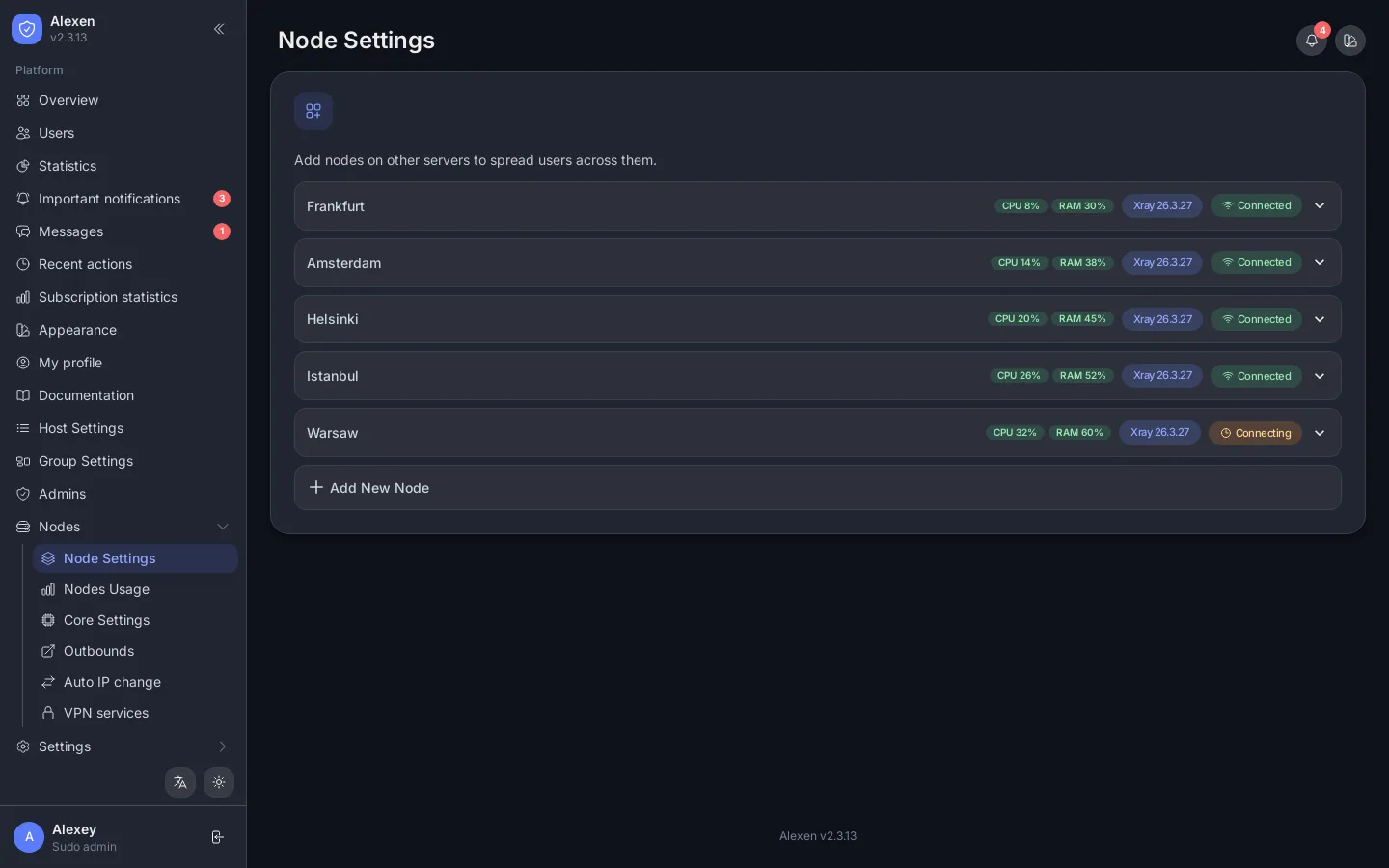
Each row shows CPU, memory, the Xray version and the connection state. Open a row to edit, restart or remove it.
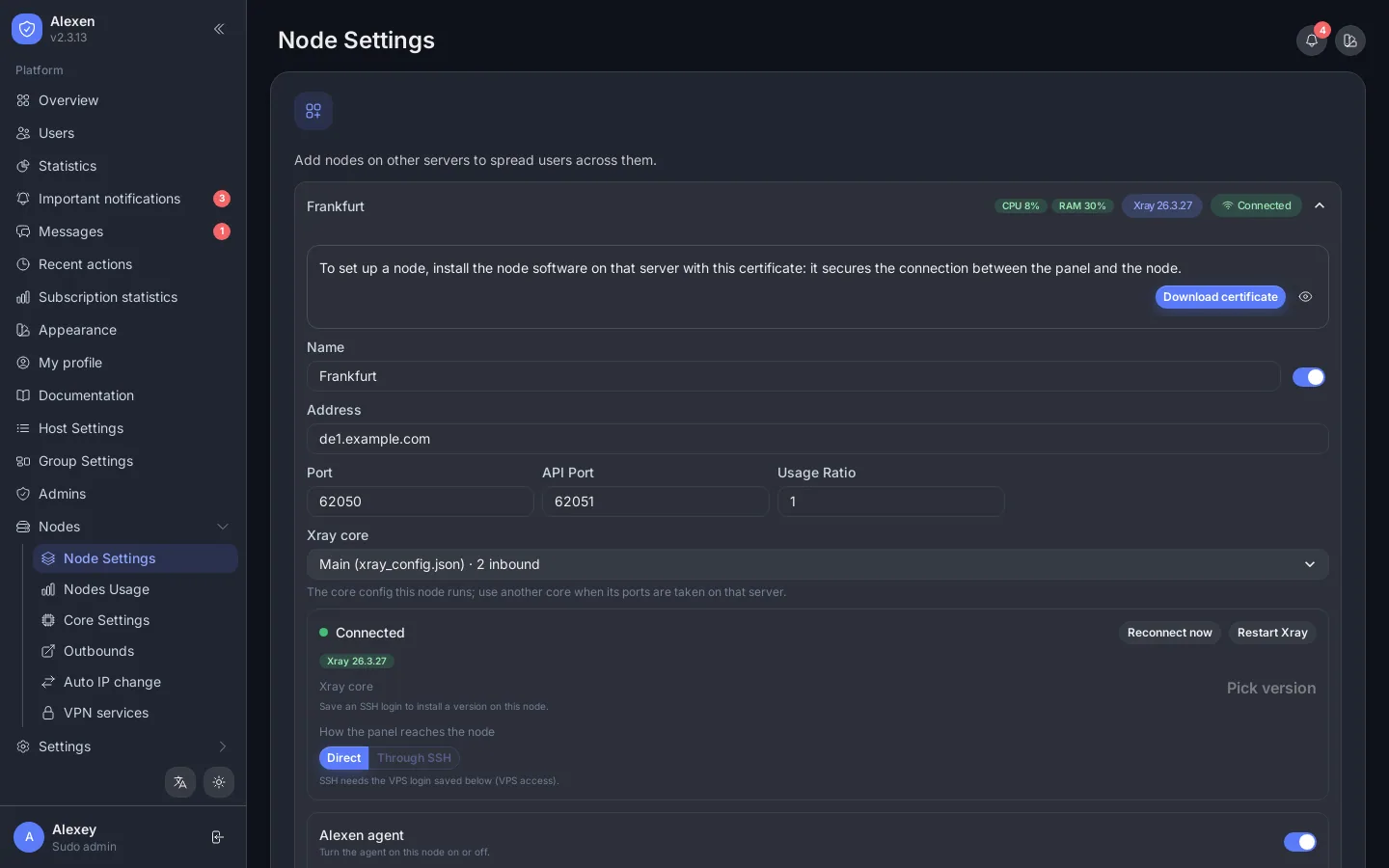
Inside a node you set its name, address, ports and usage ratio, pick the Xray core it runs, reconnect or restart Xray, and turn the Alexen agent on.
Add a node
- Nodes → Node Settings → Add New Node.
- Give a name and the server's address. For a server you have root access to, use the SSH install: the panel logs in, opens the firewall ports, installs Docker and the node, connects it and shows the progress with a live log.
- Keys for SSH can be saved once in the SSH key library and reused. Private keys are stored encrypted and never shown again.
Node certificate
The panel's node certificate is on the same page. A manually installed node needs it. The SSH install does this for you.
Hosts
Hosts are what users actually connect to. Each host belongs to an inbound.
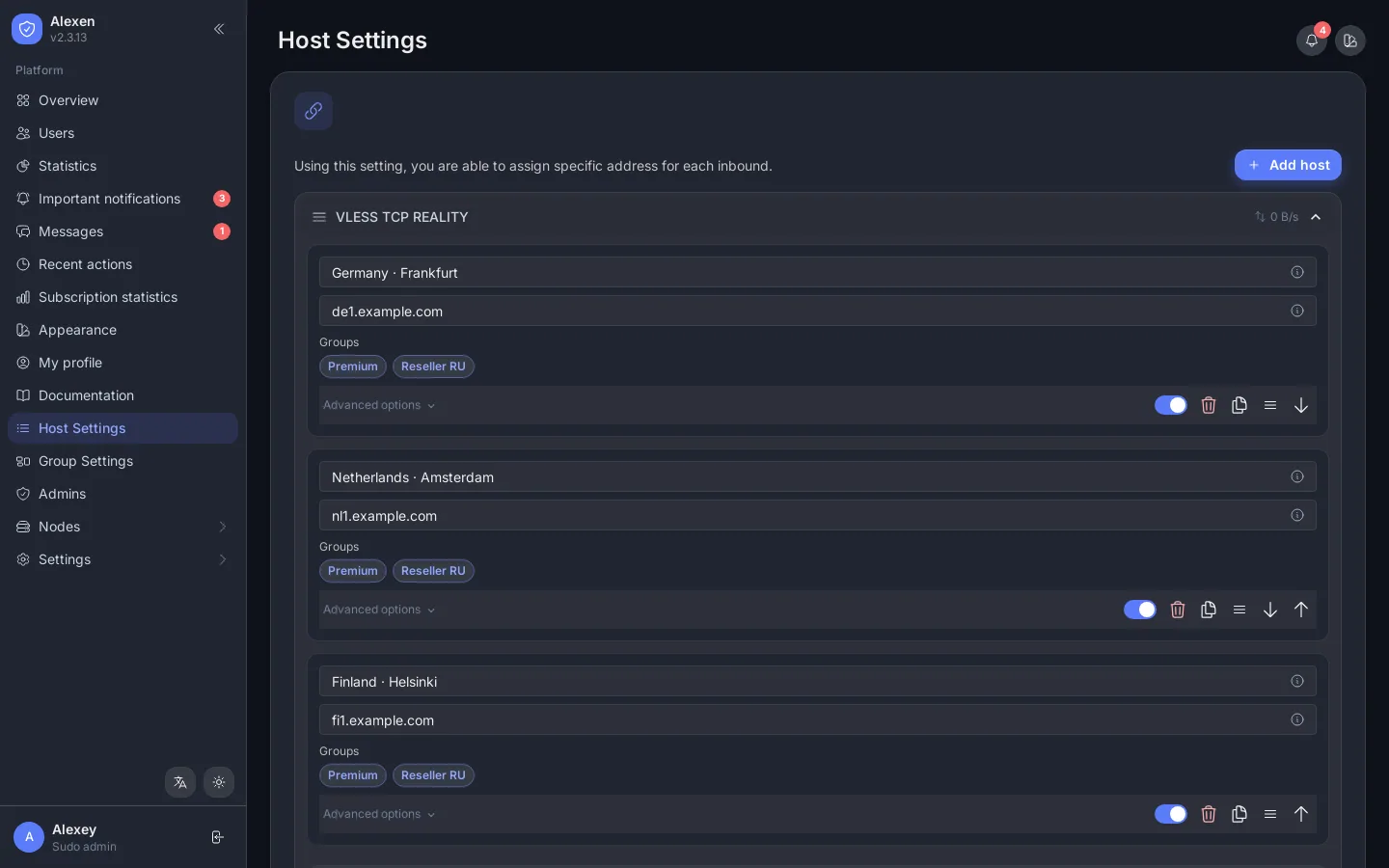
| Field | Meaning |
|---|---|
| Remark | The name shown in the user's app. Placeholders such as {USERNAME} and {DATA_LEFT} work. |
| Address | Domain or IP. You can list several. |
| Port, SNI, Host, Path | Transport and TLS details. |
| Security / ALPN / Fingerprint | TLS settings, or inherit from the inbound. |
| Fragment, noise, mux | Anti-censorship options. |
Drag to reorder inbounds and hosts. Typing :de or another country code suggests a flag in the remark.
Groups
Group Settings bundles hosts into groups and gives groups to resellers, so each reseller only hands out the hosts you allow.
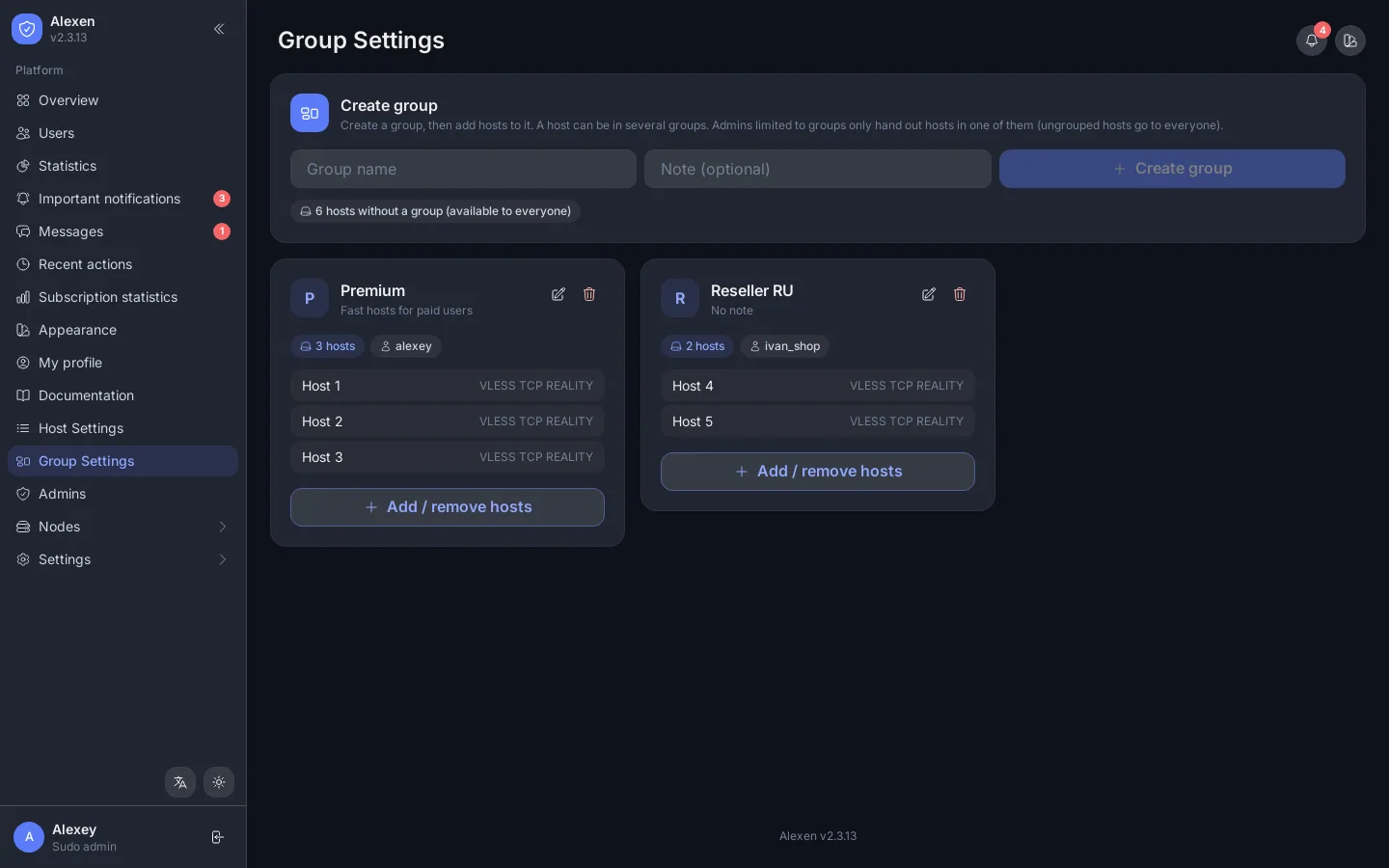
Cores
The main core is the panel's Xray. You can add extra cores with a different config or version and assign a node to one of them. Core Settings edits the JSON, shows live logs and switches the Xray version.
Outbounds and chains
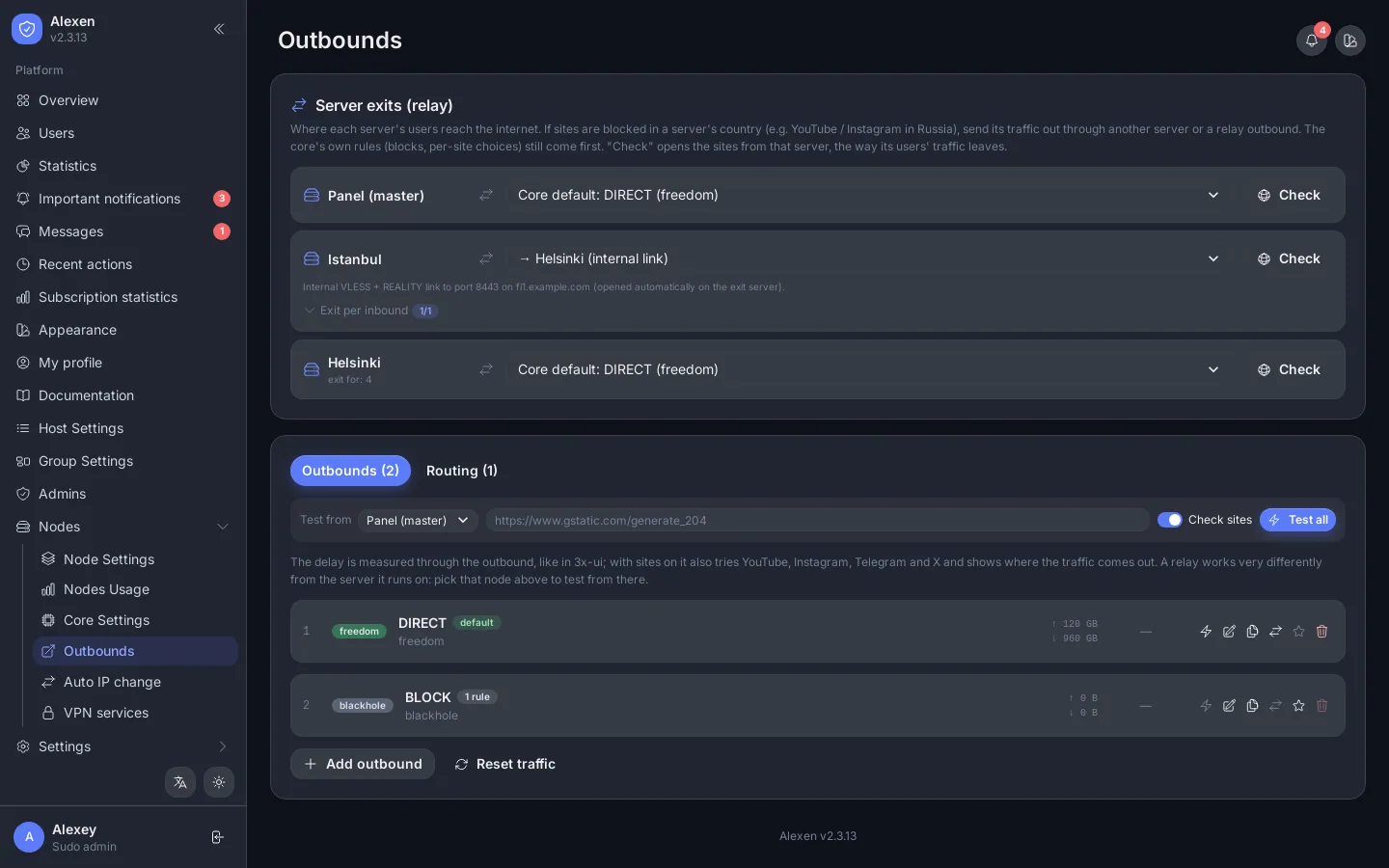
- Server exits choose where each server's users leave to the internet: straight out, or through another server (a chain), per inbound if needed. Check opens test sites from that server.
- Outbounds tests each outbound's delay from the panel or from a node and counts its traffic. Routing holds the rules.
- A chain forwards a relay's inbound to an exit server, so users connect to a nearby server and leave from another country.
Auto IP change
When a server's address gets blocked, its traffic drops. Auto IP change watches it and switches the host to the next address you listed.
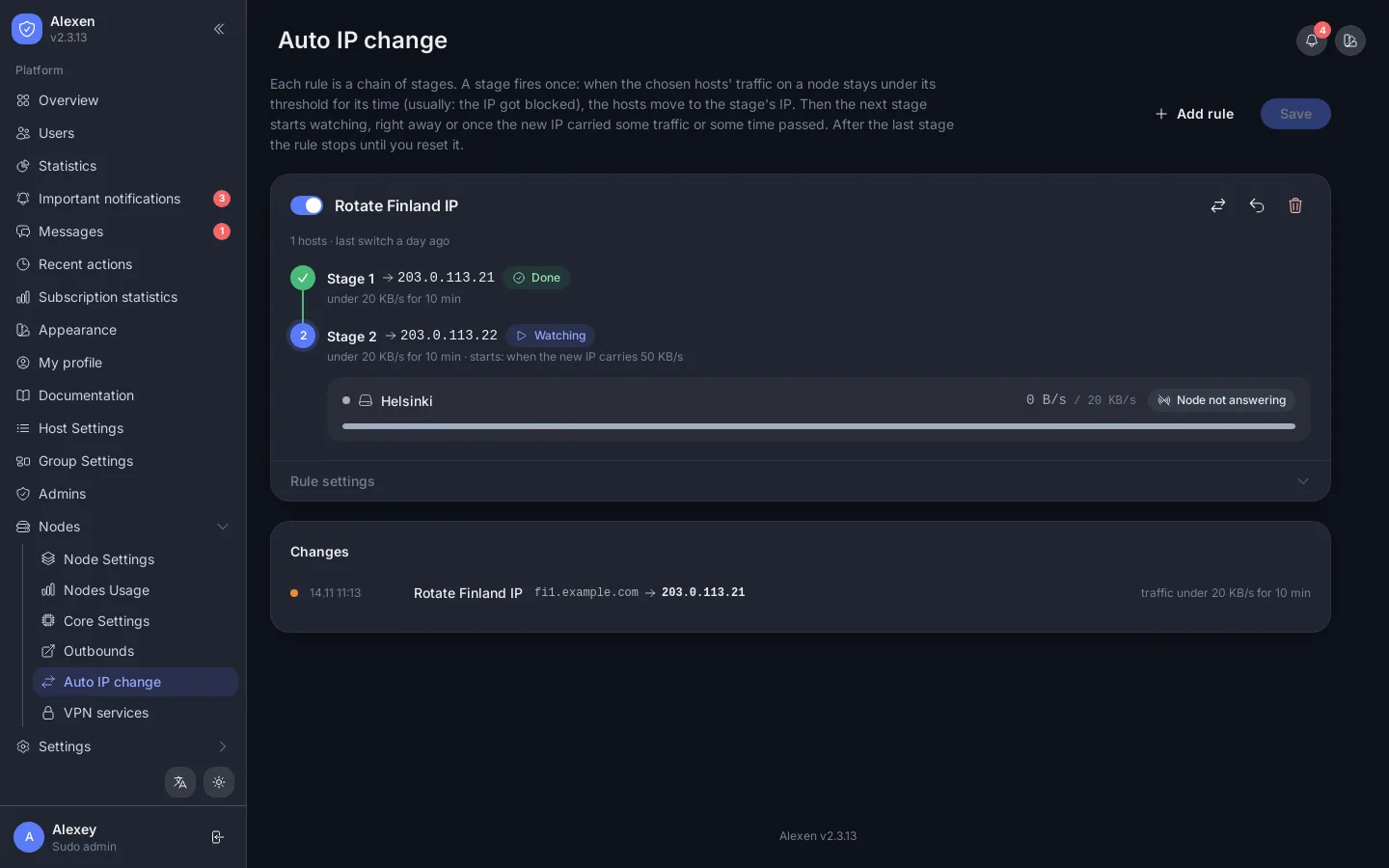
Each rule has stages: when traffic on the watched nodes stays under a threshold for the minutes you set, the host moves to the stage's IP. Later stages start only after the previous IP carried traffic, or after a time. The log lists every switch.
Built-in VPN
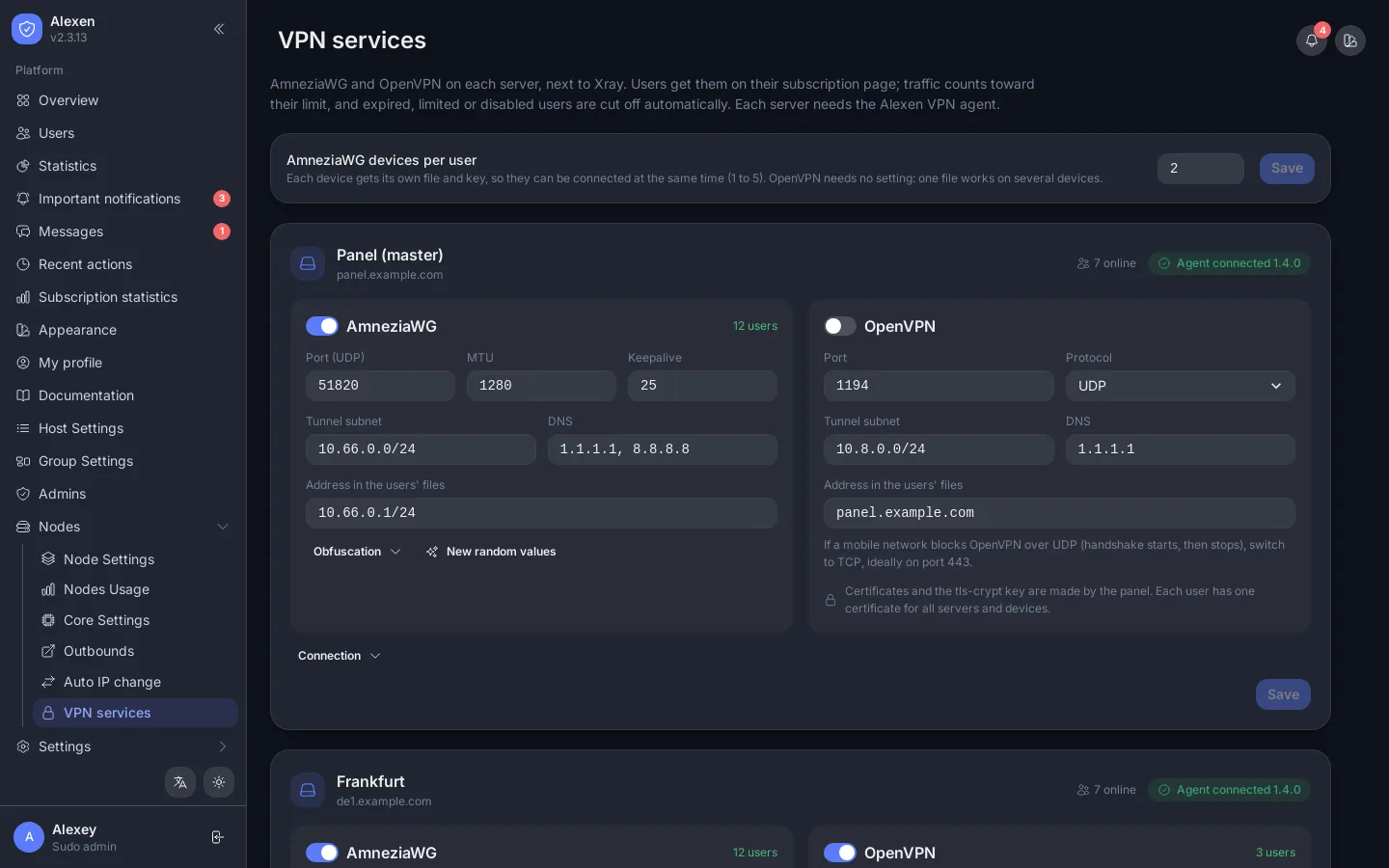
Nodes → VPN services manages the built-in AmneziaWG and OpenVPN servers on the panel and on nodes. Users get the files from their subscription page.