
Bot, alerts & activity
Telegram bot
Settings → Telegram: create a bot with @BotFather, paste its token, and add your Telegram ID (send /id to the bot to see it).
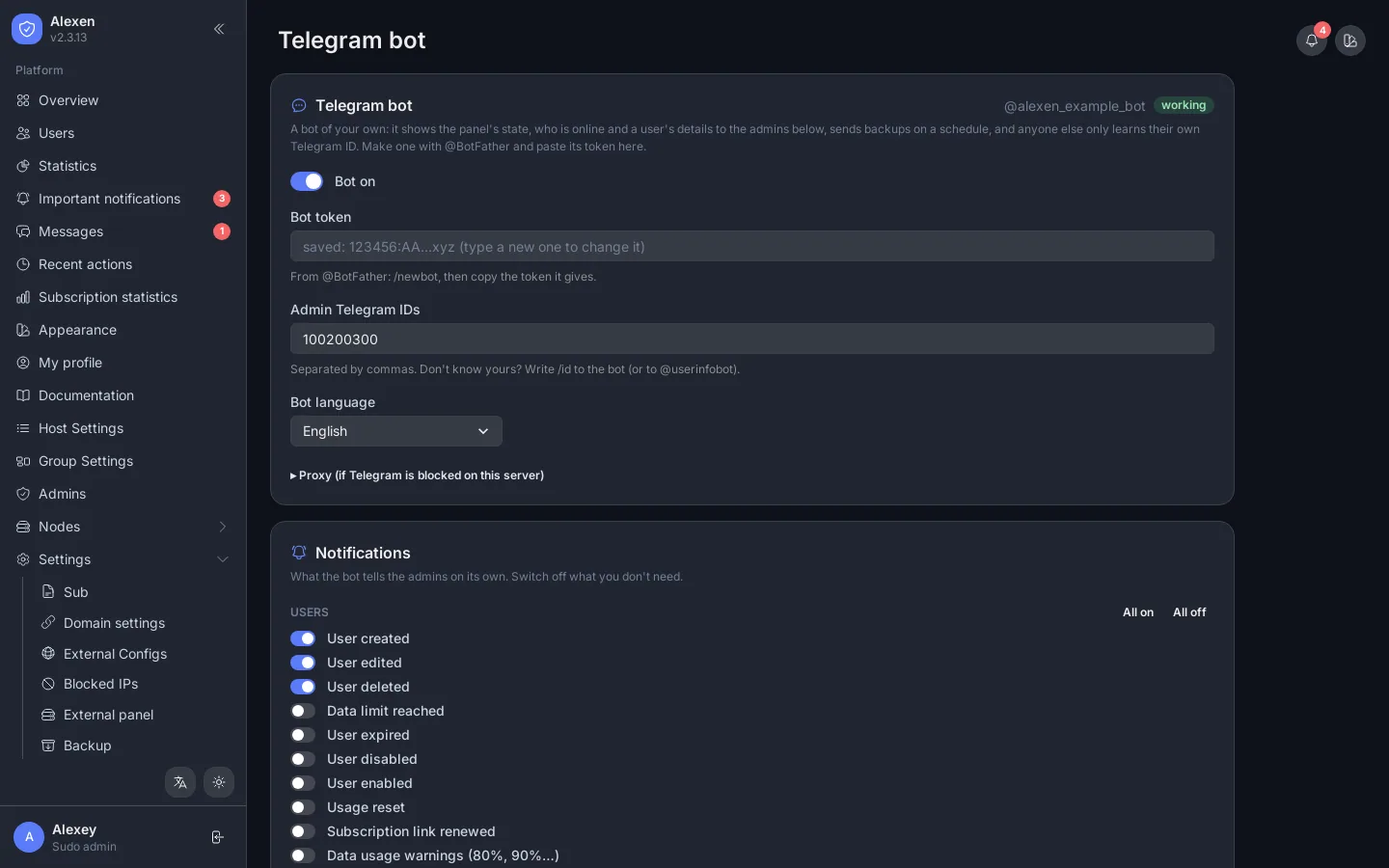
The bot shows the panel's state, who is online and a user's details, sends a backup when you ask, and sends backups on a schedule. Choose exactly which events it tells you about:
- users: created, edited, deleted, data limit reached, expired, disabled, enabled, usage reset, subscription link renewed;
- admins and logins: logins, failed logins with the password tried;
- nodes: node down and back up.
When a user is edited, the message lists what changed (for example data limit 50 GB → 100 GB, expiry date, status), not only that something changed.
There are quiet hours with a time zone, a silent mode, and a proxy field for servers where Telegram is blocked.
Alerts and messages
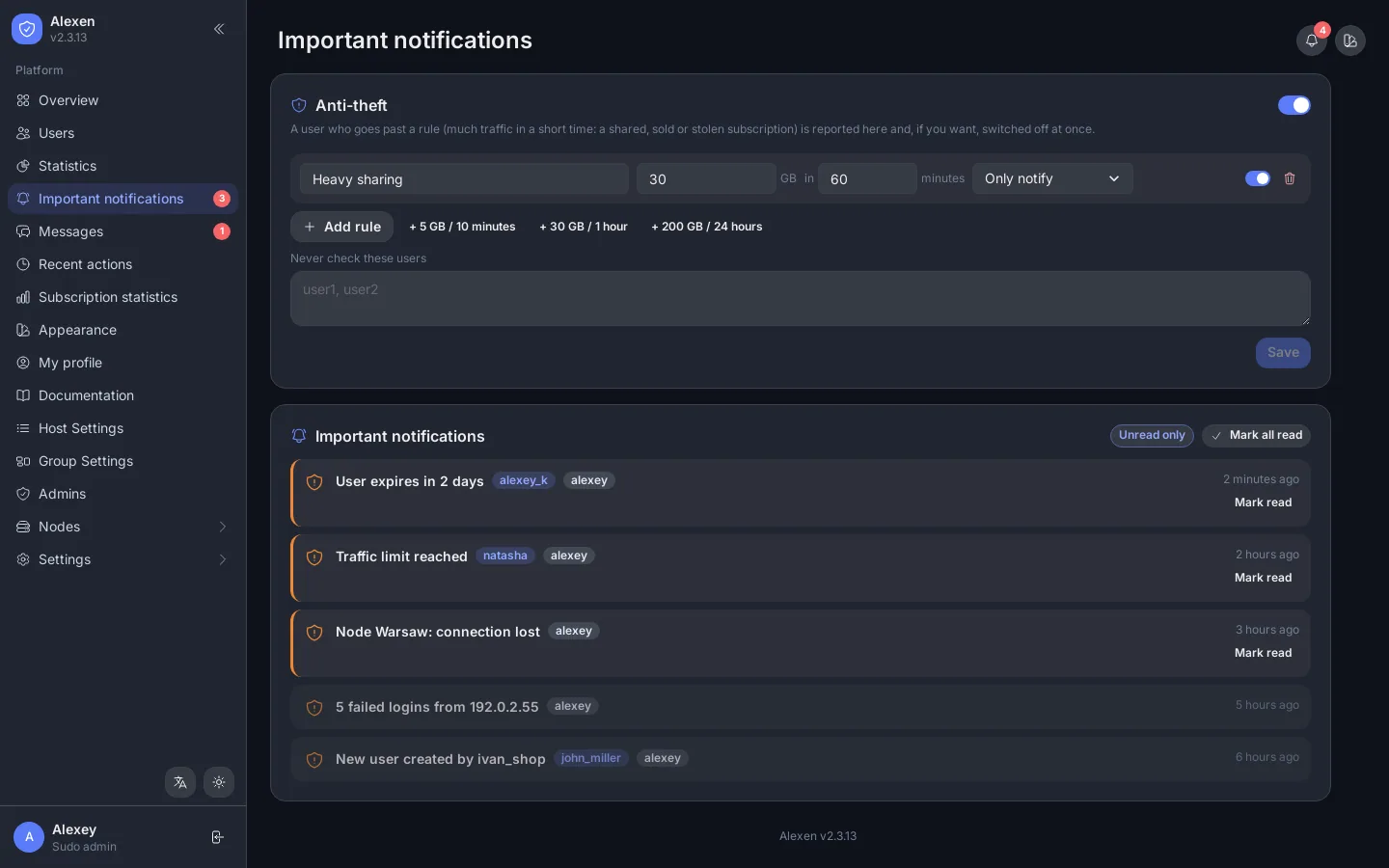
The page also holds the Anti-theft rules: for example "more than 30 GB in 60 minutes" raises an alert or acts.
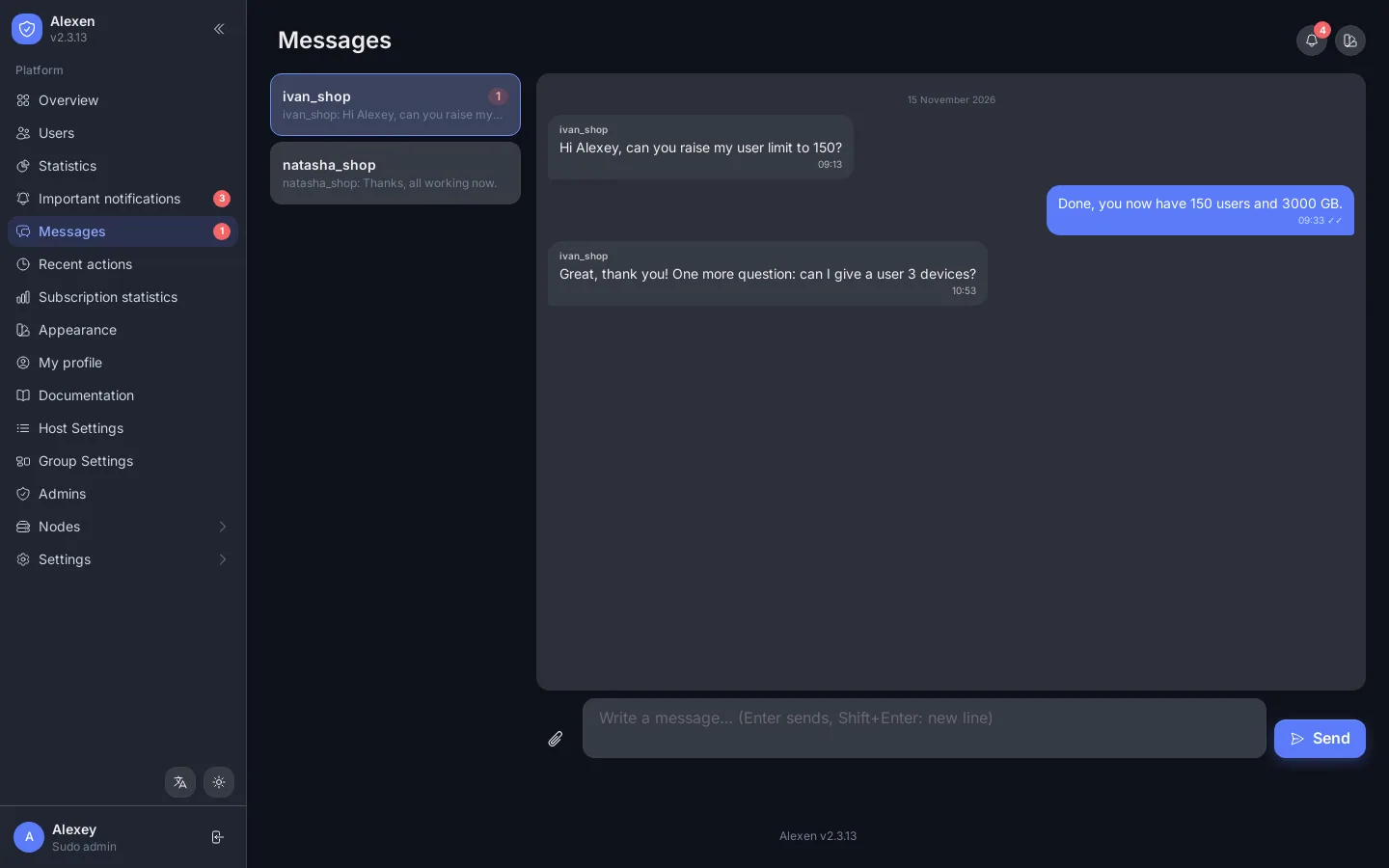
Important notifications lists events for you: users close to expiry, limits reached, node problems, failed logins. Mark them read one by one or all together. Messages is a chat between each admin and the sudo admins.
Recent actions
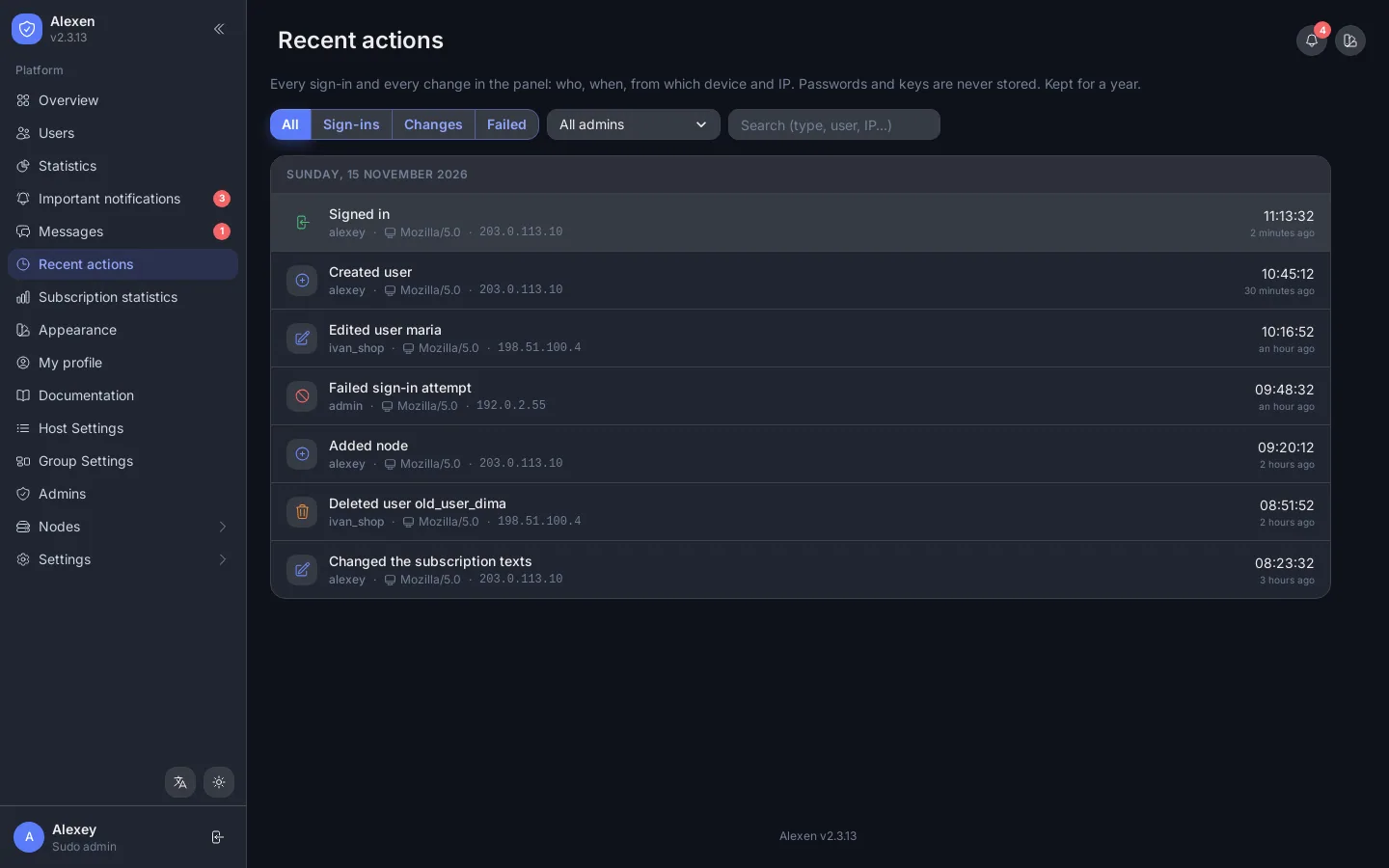
Recent actions is the audit log: who did what, from which IP, with which client. Filter by admin and type (logins, changes, failed).
Related API: Telegram, Notifications, Activity.