
Security & blocked IPs
Login protection
- 5 wrong passwords for one address and username, or 20 from one address, within 10 minutes: the address is told to wait (HTTP 429).
- A failed login is recorded in the activity log and, if you use the bot, sent to you with the password that was tried, so you can tell a typo from an attack.
Blocked IPs
Settings → Blocked IPs is your list of addresses that may not log in.
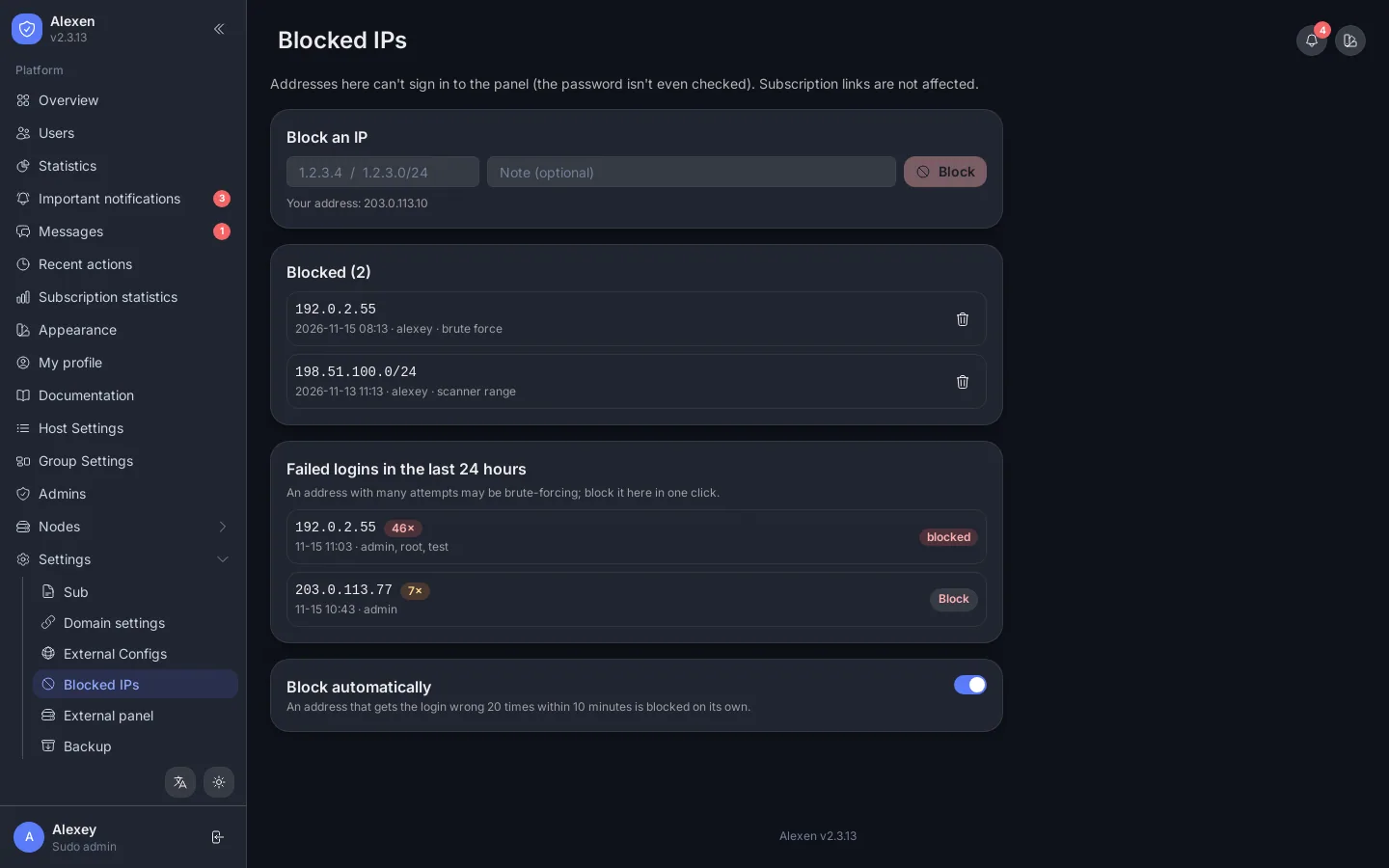
- Attempts, last 24 hours: failed logins grouped by IP, with the usernames tried. Press Block on an attacker.
- Block manually: an address or a range such as
198.51.100.0/24, with a reason. - Automatic blocking: turn it on and any address that reaches the failed-login limit is blocked for you.
- You cannot block your own address.
Blocked addresses get HTTP 403 on login and password change. Unblock any entry with one click.
IP limit, device limit and anti-theft
- Global IP limit (Settings): when on, a user's extra IPs are blocked while the allowed ones are connected. When off, the panel only shows who is connected.
- Device (HWID) limit per user stops one subscription from being used on many devices.
- Anti-theft detects shared subscriptions with rules like "more than 30 GB in 60 minutes" and can warn or act.
Good habits
- Use a long unique password for every admin and change the default one.
- Keep Automatic blocking on.
- Watch Recent actions after hiring a new reseller.
- Keep automatic backups on. See Backups.
Related API: Blocked IPs, Activity log.